Drop. Set. Done.
Add your images, choose your settings and process. Download individually or grab the whole batch as a ZIP.

Compress images and photos in JPG, PNG or WebP. Keep your dimensions, choose a target file size or adjust quality. Processing stays in your browser.
One image or the whole folder’s worth.
JPG, PNG & WebP · Up to 50 MB per image · 100 imagesDownload not starting? Save your ZIP here ↓
Find the right format. Make room. Keep creating.
Edit images on your device
CROPChoose a shape or exact crop size
EDITCrop, adjust, add text and draw
TURNRotate or mirror a photo
MARKAdd a text or logo watermark
HEALRepair small marks with healing and cloning
Make photos, screenshots and graphics smaller for upload forms, email and websites. Start with the original format and dimensions, then adjust quality, set a target size or allow resizing when needed.
A smaller file is not guaranteed. A PNG at its original dimensions may already be efficient. The Web ready preset converts to WebP and limits the longest edge to 1920 pixels; it is an optional choice for website images.
Yes. Resizing starts off on this page. Leave it off to keep the same pixel width and height. Changing JPG or WebP quality can still change visual detail.
Yes. Keep original format processes each static image in its own format. A specific output format converts the whole batch to that format.
Yes. Choose 100 KB, 200 KB, 500 KB or a custom limit under Target file size. Allow smaller dimensions only if appropriate. Each result reports Target met or Above target; a fit is not guaranteed.
Preserve supported metadata is selected by default: EXIF dates, camera details and GPS are carried over, with orientation and dimensions updated. PNG text/dates and JPG comments stay when keeping their format. XMP, IPTC and original colour profiles are not transferred; embedded preview links are cleared during re-encoding. Choose Remove metadata to omit source metadata; this disables the original-file fallback. Downloaded filesystem dates may change.
Smaller files start with the right format. Here is how encoding, quality and your original image affect the result.
Decoding turns the bytes in an image file into pixels that a browser can display. Encoding turns pixels back into a file, using the rules of JPG, PNG or WebP. It is not encryption. Our compression and conversion tools decode locally, draw the image onto a canvas and call the browser’s canvas.toBlob encoder. The browser supplies the codec, so results can vary between browsers.
JPEG commonly splits image information into small blocks, uses a discrete cosine transform to describe patterns within them, then rounds transform coefficients in a step called quantization. Coarser rounding saves space but discards detail. The remaining values are efficiently coded into bytes. Our quality control is passed to the browser encoder; it is not a percentage of original detail retained or a guaranteed percentage reduction. Repeated JPG re-encoding can introduce additional artefacts.
PNG uses reversible filters on pixel rows followed by DEFLATE compression. These steps can represent the encoded pixels without JPEG-style quality loss. PNG ignores the quality slider. This tool uses the browser’s PNG encoder, rather than a dedicated palette-reduction optimiser, so an already efficient PNG may not get smaller. Resizing or colour handling before encoding can still change pixels; lossless encoding does not promise that the whole editing pipeline preserves the original file.
Lossy WebP predicts image regions from neighbouring pixels, transforms the difference and quantizes it before coding the result. The format also supports a separate lossless mode, but this tool requests browser WebP encoding with a quality setting and does not expose a guaranteed lossless mode. Transparency can be retained. A lower quality setting often reduces size, although sharp text and fine textures may suffer.
After encoding, the tool compares byte sizes. With Preserve supported metadata selected, when format, dimensions and geometry are unchanged and the new file is not smaller, it keeps the original bytes. This avoids a larger replacement. A retained original also retains its metadata: use the Metadata Remover when privacy cleaning is the goal. ZIP download bundles the files without another lossy image-encoding step.
Your selected image is processed on your device, without an image upload. Canvas exports are new files and may change embedded metadata or colour information. Keep a master copy for archival work. Animated PNG and animated WebP are rejected; these tools handle static images.
Choose 100 KB, 200 KB, 500 KB or a custom decimal-KB limit. For JPG/WebP, the tool tries quality values from your selected maximum down to 10% and refines a successful bracket with a bounded binary search. When you explicitly allow smaller dimensions, it can also try up to eight downsizing steps. PNG ignores quality. Exact resizer dimensions are preserved. Only a measured output within the byte limit is marked Target met; otherwise the smallest tested candidate is marked Above target. This is a bounded search, not proof of a globally optimal result.
Preserve supported metadata is the default: EXIF dates, camera and GPS fields are copied, with orientation reset after decoding and dimensions updated. PNG text/dates and JPG comments stay within their format. XMP, IPTC and original colour profiles are not transferred; embedded preview links are cleared. Retained metadata is included in target-size measurements. Remove metadata omits source metadata and disables the original-file fallback. Filesystem download dates are separate.
Explore the details: Browser encodingImage formats — MDN
Practical guides for better image decisions.
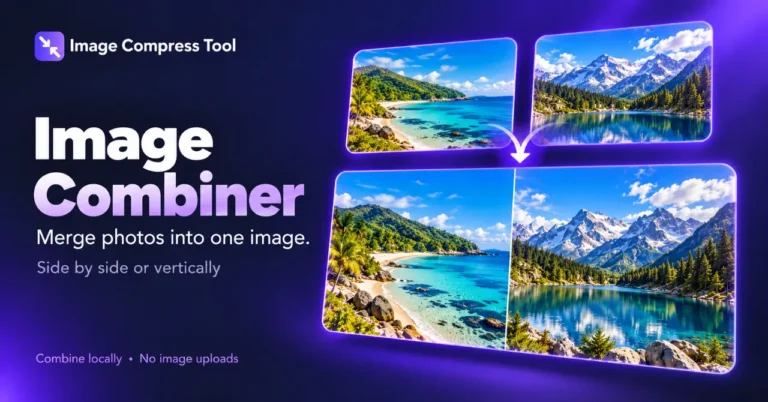
Merge photos into one image with a horizontal or vertical layout, adjustable spacing and a transparent or coloured background.
Read the guide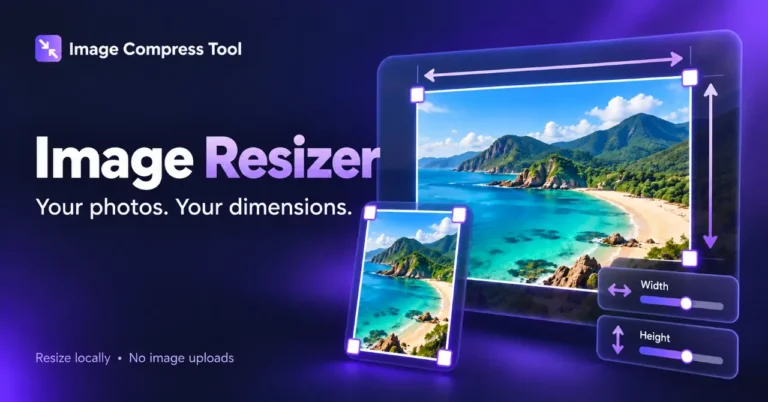
Choose square, portrait, story and landscape presets, then decide whether to crop or pad your photo.
Read the guide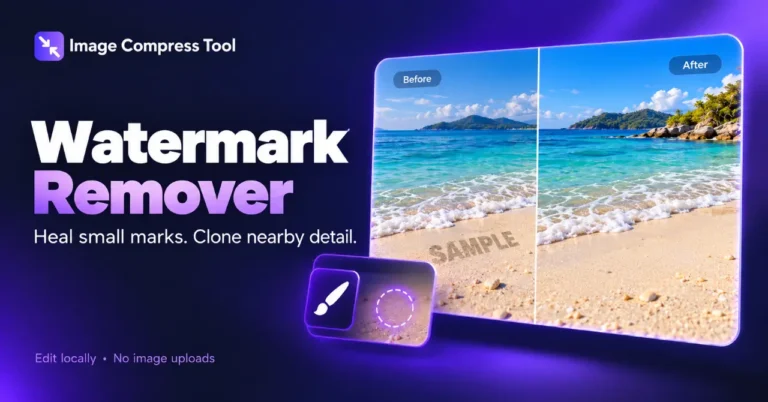
Repair small marks locally with a healing brush or clone stamp. Learn where these methods work and how to check the result.
Read the guideAdd your images, choose your settings and process. Download individually or grab the whole batch as a ZIP.
Compare the original and the result before downloading. You choose the balance between quality and size.
Everything happens on your device. No image uploads, no account and no image storage on our servers.
Better images start with the right settings.
WebP is a useful starting point for website photos and transparent graphics. JPG suits photos when you need a JPEG file; transparent areas become white. PNG uses lossless encoding and keeps transparency, but often creates larger files.
JPG and WebP use lossy compression: lower quality usually means smaller files and more visible changes. Use Compare to inspect your result. PNG encoding is lossless, but resizing still changes pixels. PNG conversion can increase file size. This tool uses your browser’s image encoders, so results can differ between browsers.
If the output uses the same format and dimensions but is larger than the original, we keep your original file. Changing formats or dimensions can still create a larger result; the actual size is always shown. The quality slider doesn’t affect PNG encoding.
Add up to 100 static images, 50 MB per image and 200 MB of original files per batch. Each image must be within 40 megapixels and 16,384 pixels on either side. Animated PNG and WebP are rejected to protect their animation. GIF, SVG, HEIC and AVIF aren’t supported in this version. Large batches depend on your device’s memory.
This tool processes selected images locally in this browser tab and doesn’t send image files to a server. Your site’s hosting, analytics or other plugins may separately collect normal website visit data. Download results you want to keep before clearing the list or leaving. Re-encoding generally removes file metadata; an original file kept because it was smaller retains its existing metadata. This isn’t a metadata sanitization tool.